Order Management System
One console for orders from six channels, the riders carrying them, and the cash coming back, shipping with Lucrum POS.
The problem
01 / 09A multi-branch food business does not receive orders in one place. They arrive by WhatsApp, from the Android and iOS apps, off the website, through Instagram and Facebook, over the phone, and from someone standing at the counter.
Each one still has to reach the right kitchen, get made, get picked up by a rider who is already carrying two other bags, and come back at the end of the shift as cash that has to be counted and settled.
The dashboard exists to collapse those three into one screen a branch manager can run a shift from, and to make the money side auditable rather than remembered.
Scope and role
02 / 09Sole designer on this, and the person who built the front end. The brief was five operational modules behind one rail. What it actually required was settling what the product was before anyone wrote a component, then moving that into the framework ERPNext could host without losing the detail in transit.
The contract is the part worth keeping. Field names, enum values and nullability were decided once, in writing, before either half existed, which turned the port into implementation rather than reverse-engineering, and is why the two sides never drifted apart.
System architecture
03 / 09The system is deliberately split in two, because the two halves have opposite requirements. Records and money belong in the ERP, where they are auditable and where accounting already lives. Taking an order does not: a customer waiting in a WhatsApp thread cannot wait on a document write.
The system of record.
Orders, riders, payment entries, WhatsApp templates and campaigns, social data. Everything that has to reconcile, and everything the finance team already understands. MariaDB underneath.The ordering hot path.
Menu, cart pricing, order creation, status tracking: the four calls that happen while a customer is waiting. Menu served from Redis, order state in PostgreSQL.The operations dashboard
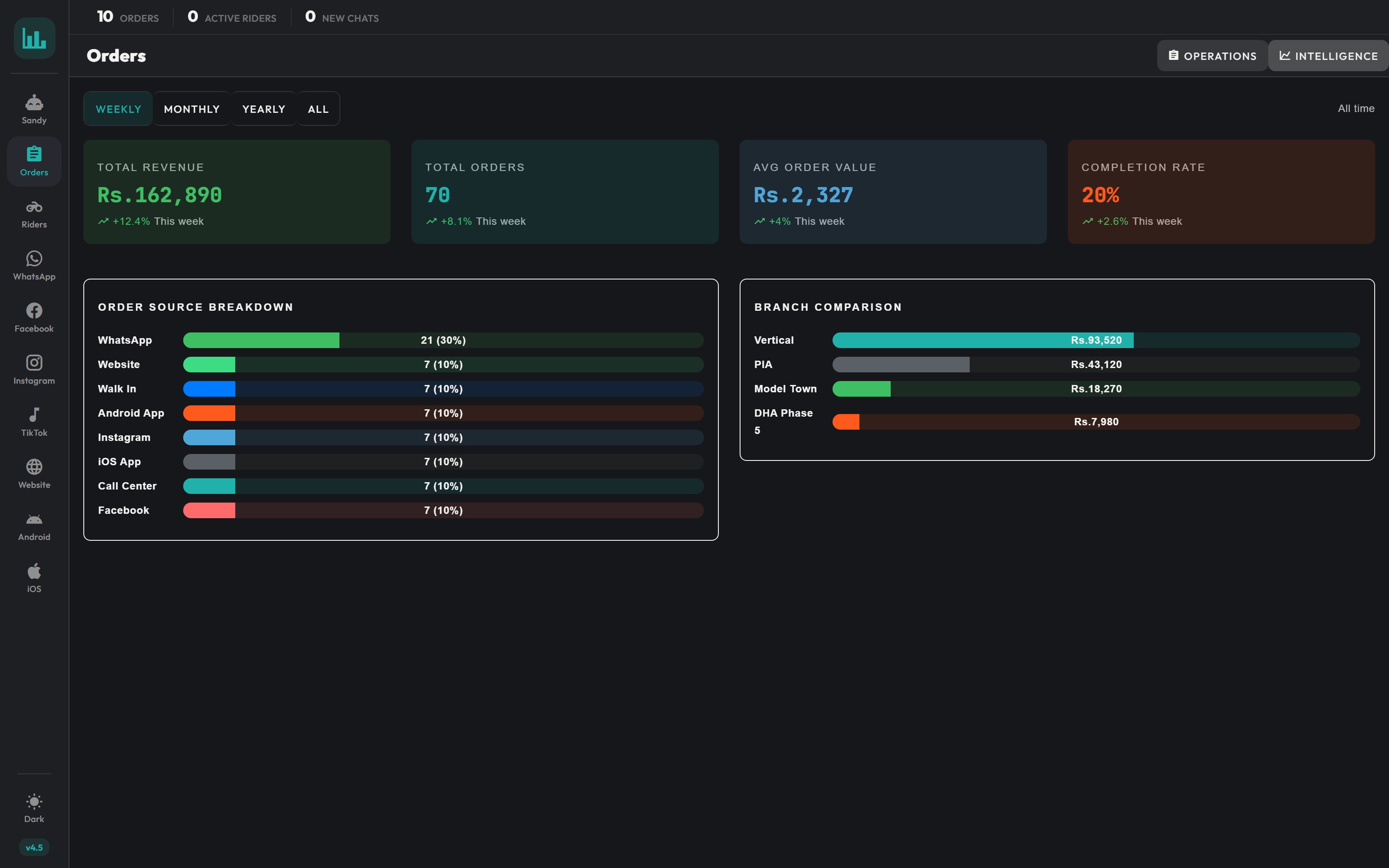
04 / 09Five modules behind one persistent rail: orders, riders, the AI chat agent, WhatsApp, and the social channels. Each has an Operations view for the person running the shift and an Intelligence view for the person reading the week.
The screens below run on seeded demo data: real customer records are not shown.
Orders & riders
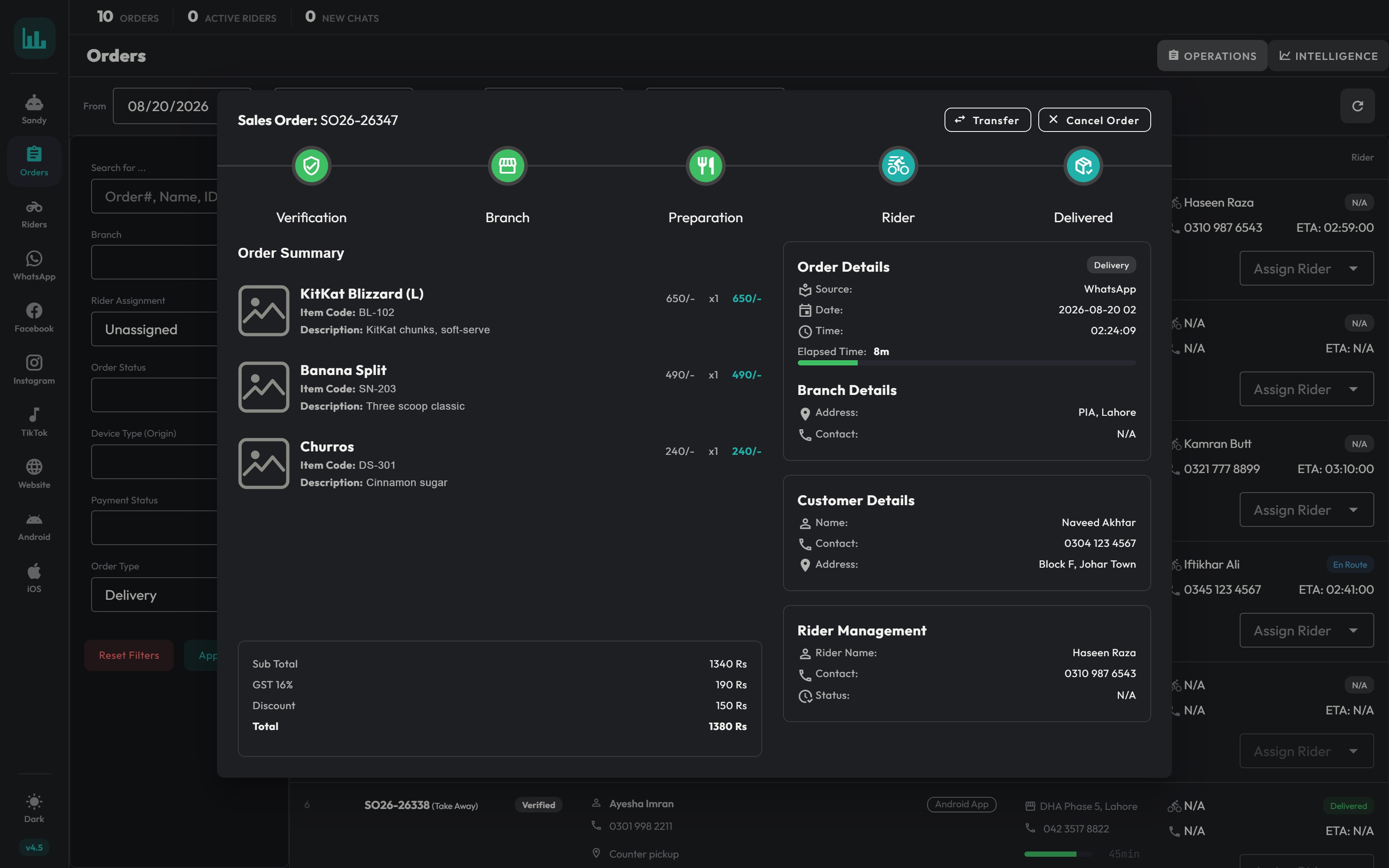
Acting on one order
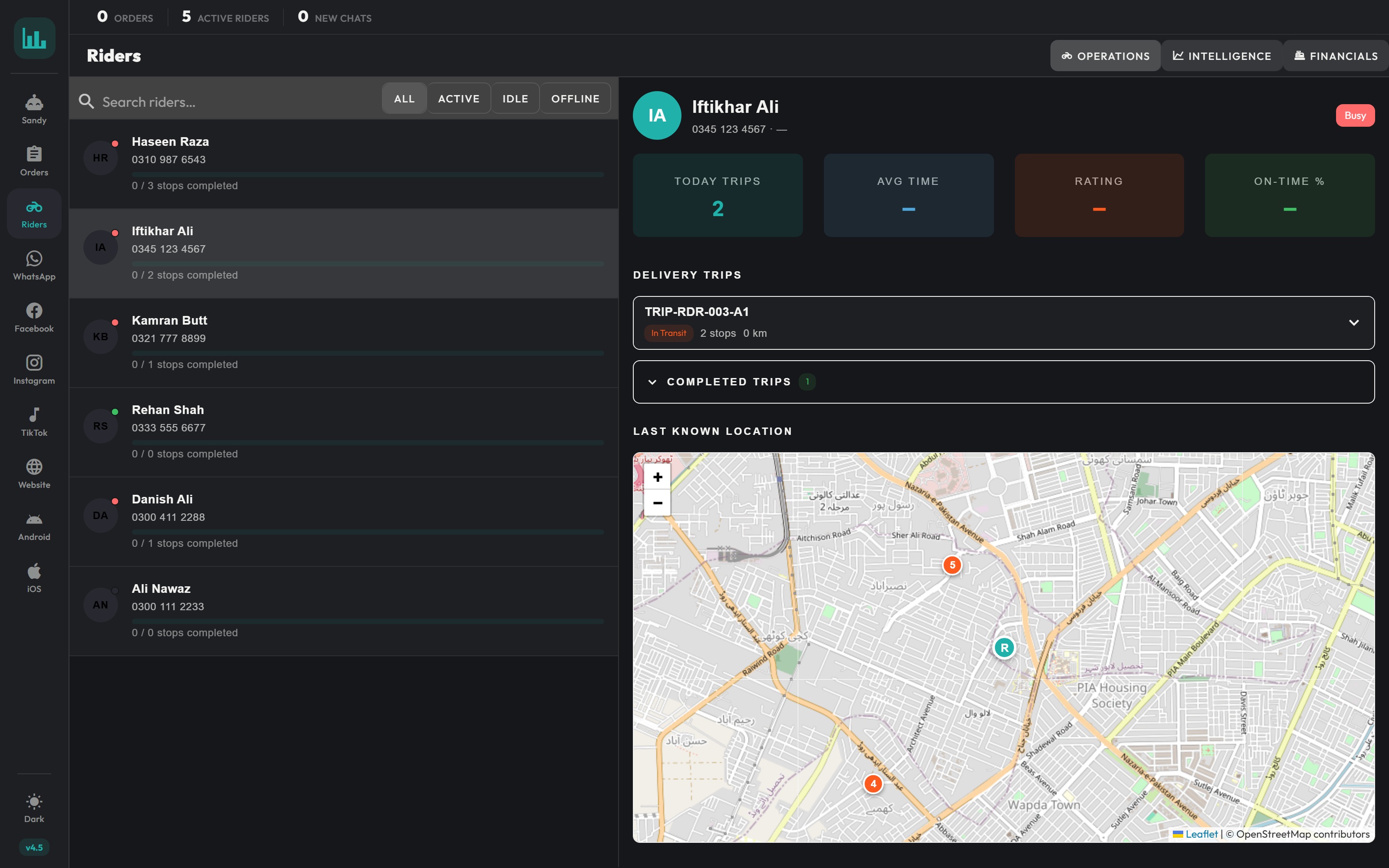
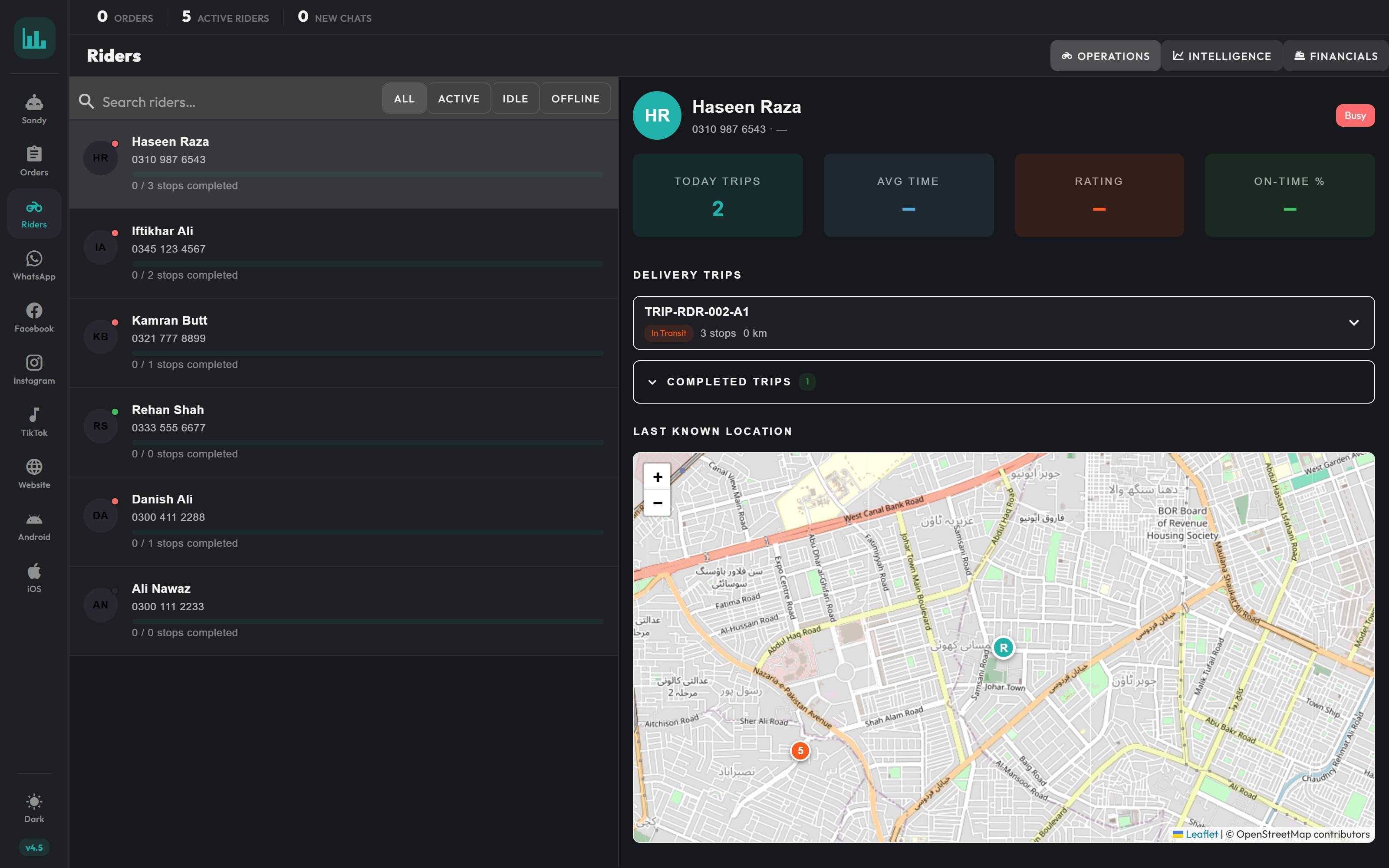
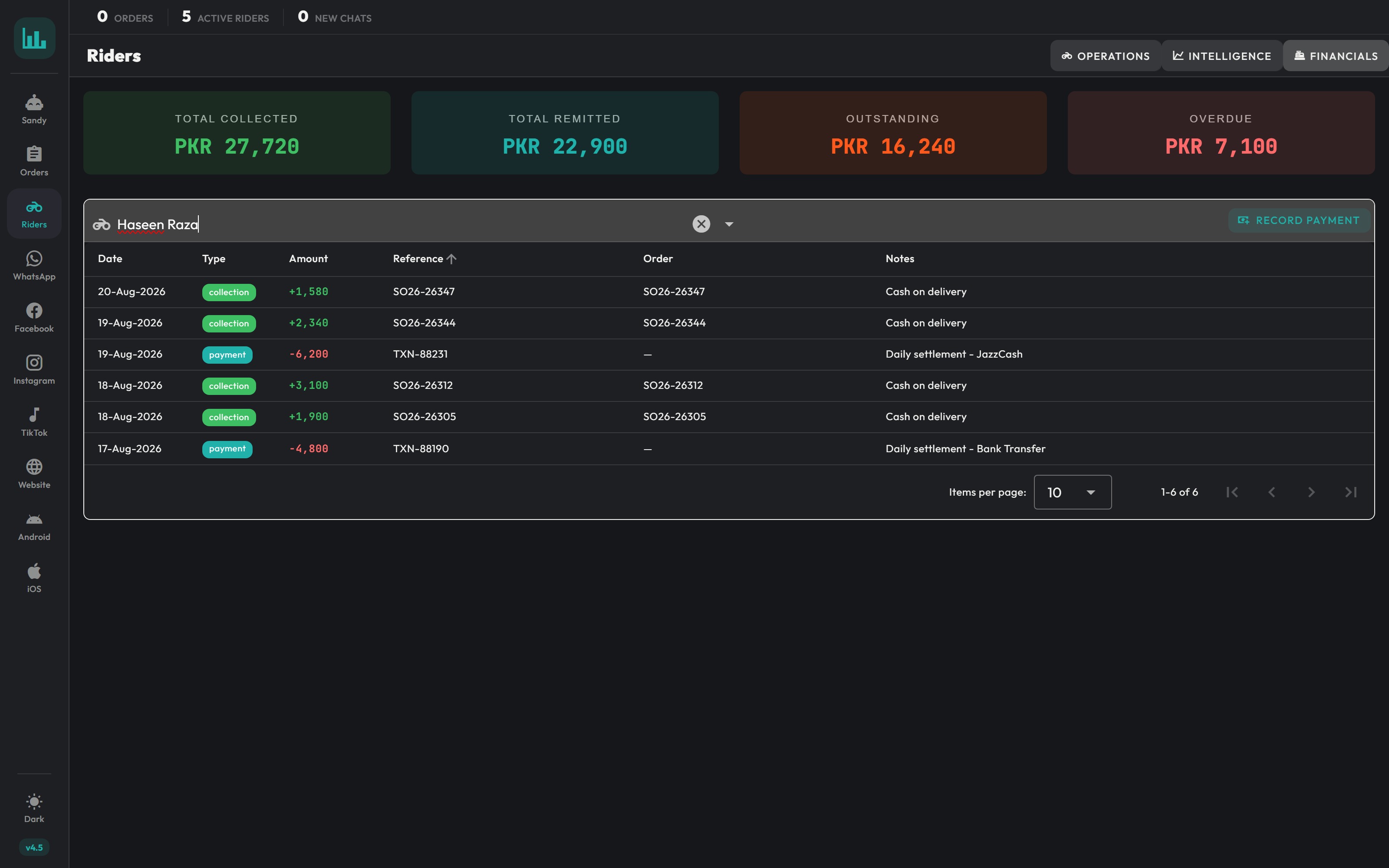
A rider's round, and their cash
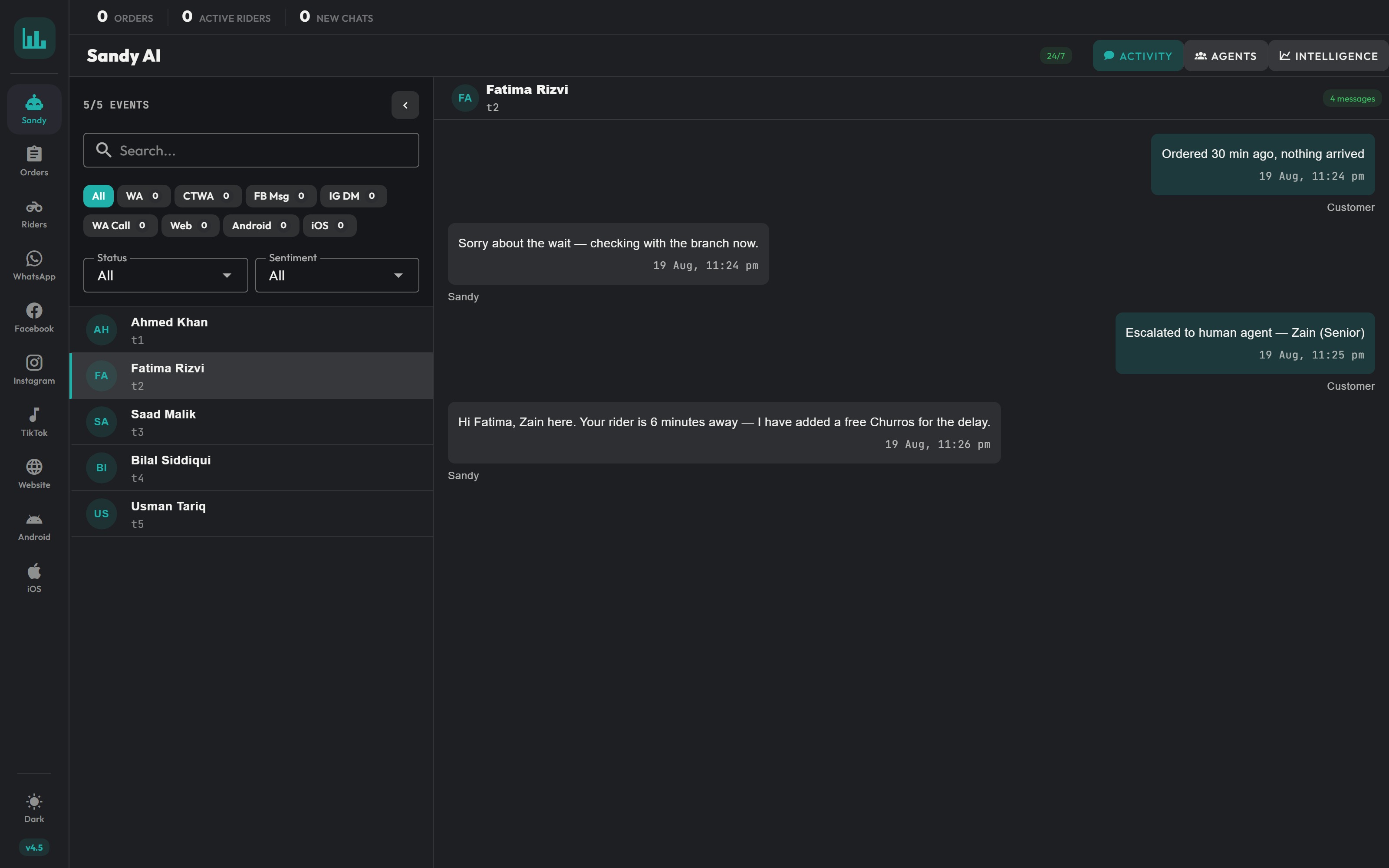
Conversational orders
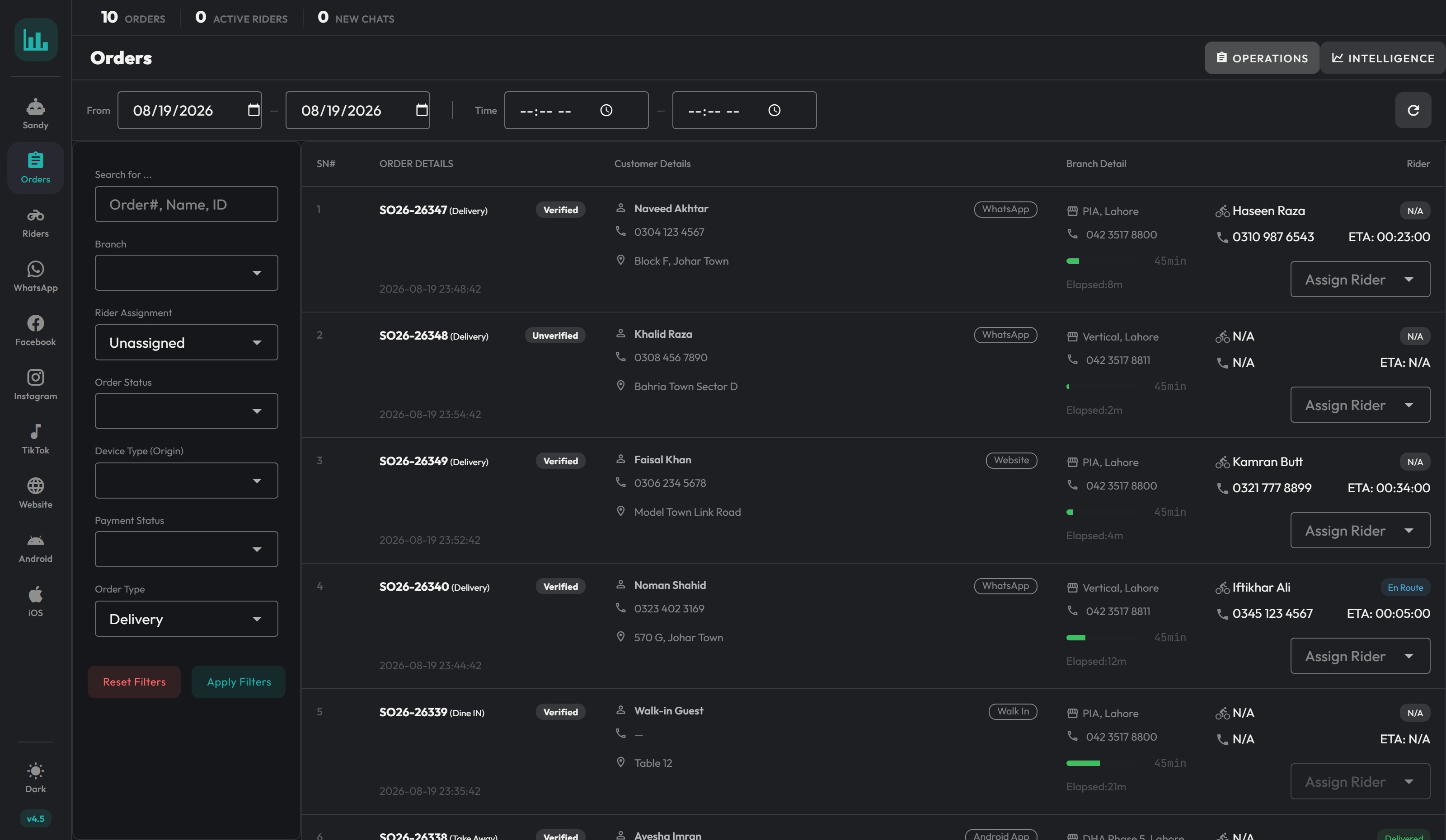
The queue is the piece that earns its place. Each row carries the one thing a manager acts on: an elapsed bar counting against the delivery target, turning red before anyone has to ask. Assignment happens inline, in the row, without opening anything.
Opening a row is for everything the queue deliberately leaves out: the item lines, the money broken down to the tax, and the two actions that warrant a second thought: transferring the order to another branch, or cancelling it outright.
The assignment control changed most. It started as a picker (choose a rider, done) because the first version of this queue assumed one order per rider. Riders carry three. Once that was clear the control had to show load rather than names, and every screen that named a rider had to admit how much they were already holding.
Rider financials
05 / 09This was the least glamorous part of the system and the one that mattered most. A rider on a cash-on-delivery round is holding the company's money for the length of a shift. The design problem is not a screen: it is making an informal, trust-based process leave a record without slowing anyone down.
Collections are green and additive, settlements red and subtractive, so the ledger reads like a bank statement rather than a report. The four totals sit above it because the question a manager actually asks is "who owes me money right now", not "show me all transactions".
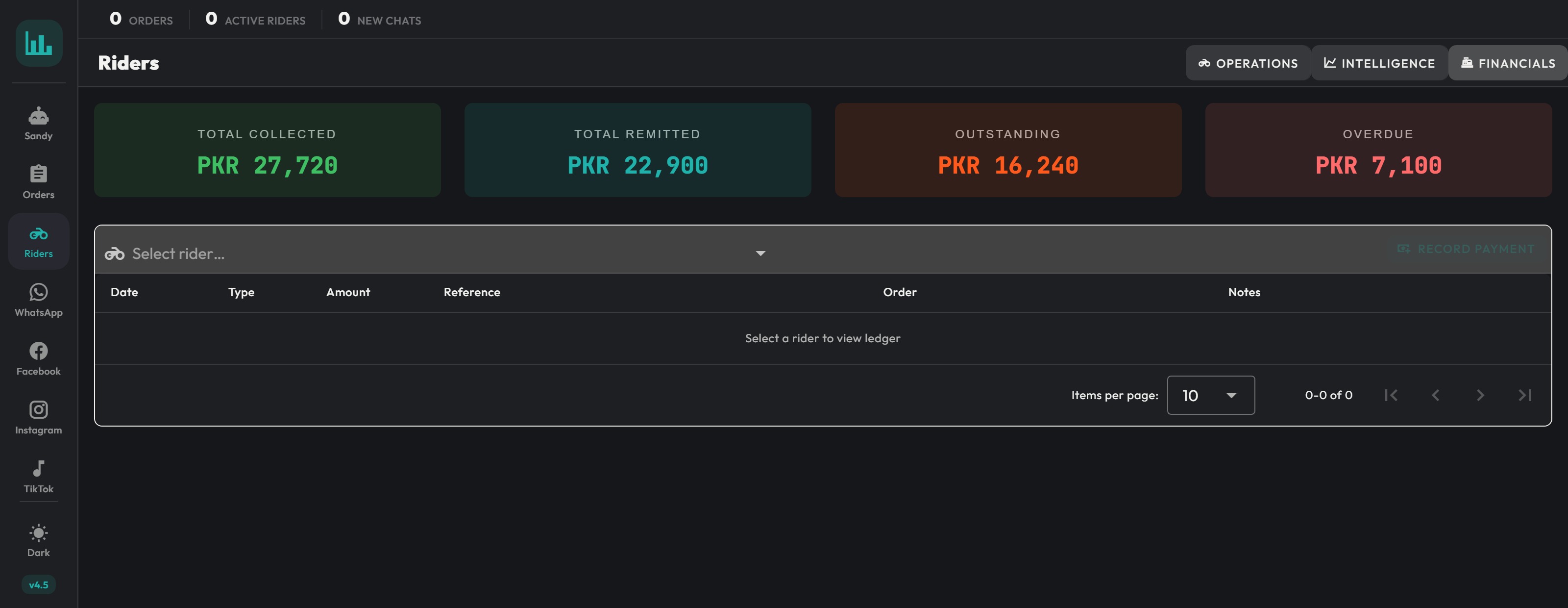
Overdue is the only one coloured as an alarm. The other three are facts; that one is a task.
From prototype to production
06 / 09The dashboard existed first as a single-file React prototype: just under four thousand lines, with every screen and a full set of realistic sample data. It was never meant to ship. It was meant to settle what the thing was before anyone wrote a component.
The production build is Vue 3 and Vuetify, because that is what the ERPNext front end could host. Porting between two frameworks is where detail normally gets quietly lost, so the port was done against a written contract rather than by reading the prototype.
One typed file as the source of truth.
Every data model, every API endpoint's response shape, and the ERPNext doctype fields behind each one, written down before the port so both the Python and the Vue side had the same definition of an order, a rider and a conversation.Shipping discipline
07 / 09An operations dashboard fails quietly. Nobody files a bug when a number is subtly wrong: they just stop trusting the screen and go back to WhatsApp. So the release process was written down alongside the code.
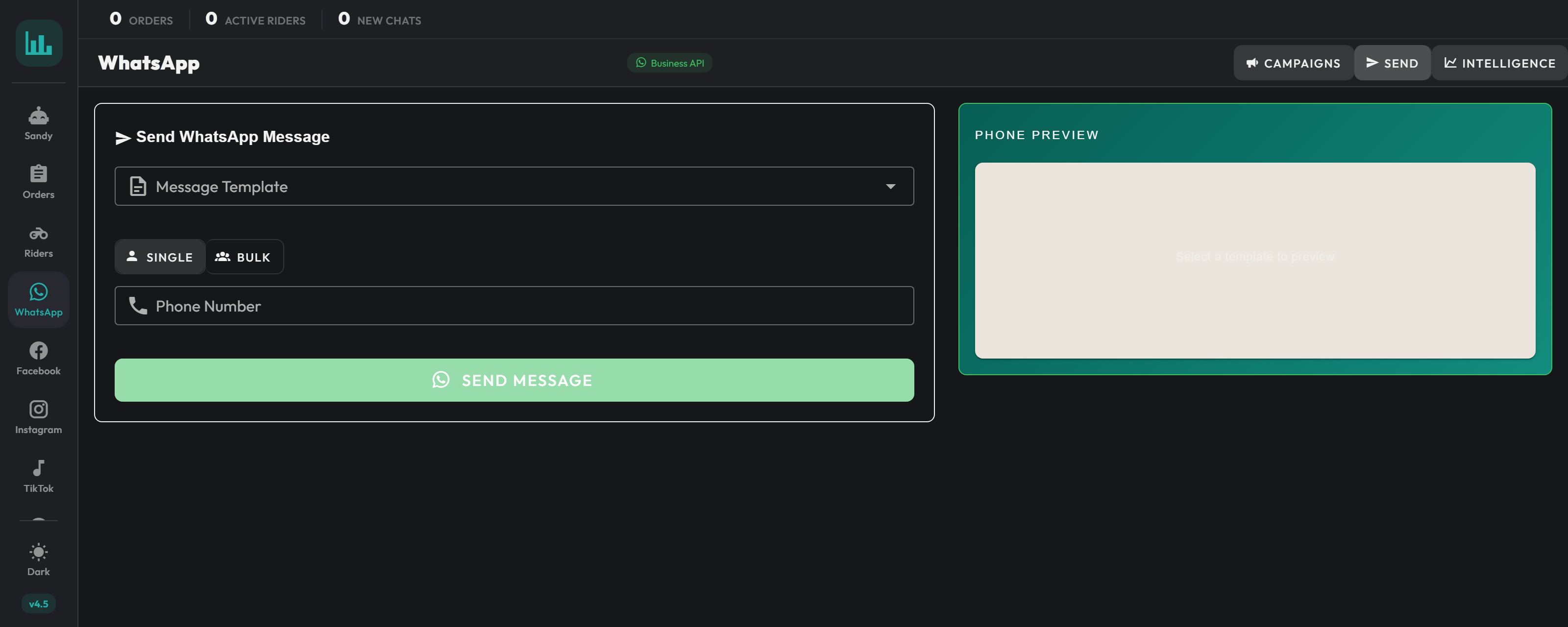
The WhatsApp integration got its own guide, covering Meta Business setup, webhook registration, template submission, and the WebRTC calling layer that lets an agent take a call from inside the dashboard when the AI agent escalates.
What shipped
08 / 09It ships with the point of sale, not on its own.
The dashboard is not a standalone product a customer buys: it is the operations layer that arrives with Lucrum POS, in use across multiple national QSR chains. Every branch running that POS gets this screen, which is also why it never had a public URL to link to.The messaging layer is the part that went furthest. It talks to Meta's Cloud API directly: fourteen endpoints covering template submission, bulk sends with rate limiting, webhook verification, and the call handoff when the AI agent escalates to a human.
Reflection
09 / 09I designed the queue around a rider carrying one order, and that was wrong: they carry three. Fixing it late meant the assignment control had to stop being a picker and start being a load decision, and every screen showing a rider had to admit they held more than one. The written contract saved the port; it did not save me from that.
Muhammad Bin Saif, Product Designer